Imagine discovering a product that you’ve always dreamed of. It has all the features you need and it’s right within your price range. The only thing that’s stopping you is you’re not sure whether to trust the company or if the product really does what it claims. If you’d been able to see reviews from real customers, on the other hand, that would’ve put your mind at ease and convinced you to go through with the purchase.
That’s exactly why adding user-generated content like Google reviews to your website can have such a significant impact on your conversions and revenue. These reviews show potential customers and new visitors that they can trust your brand, making them more likely to convert into paying customers. In this guide, we show you how you can embed Google reviews to your website and how this can pay off in the long run.
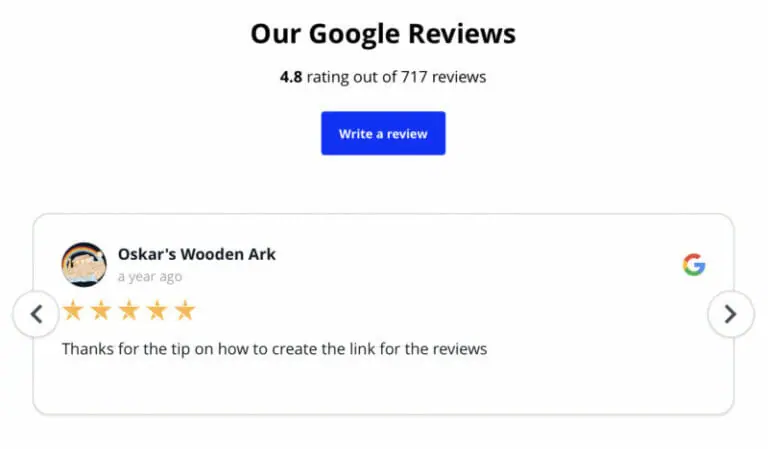
The Importance of Adding Google Reviews to Your Website
But first, you may be wondering–why go through all the trouble? What’s the big deal with Google reviews and why should you add them to your site? Let’s find out the key benefits of displaying Google reviews on your site.
Social Proof to Enhance Trust
First things first, reviews serve as social proof for your brand. They show your visitors how other consumers who’ve bought your products feel about their experience. Since these reviews are coming from real people, it gives them the peace of mind that they too can trust your brand.
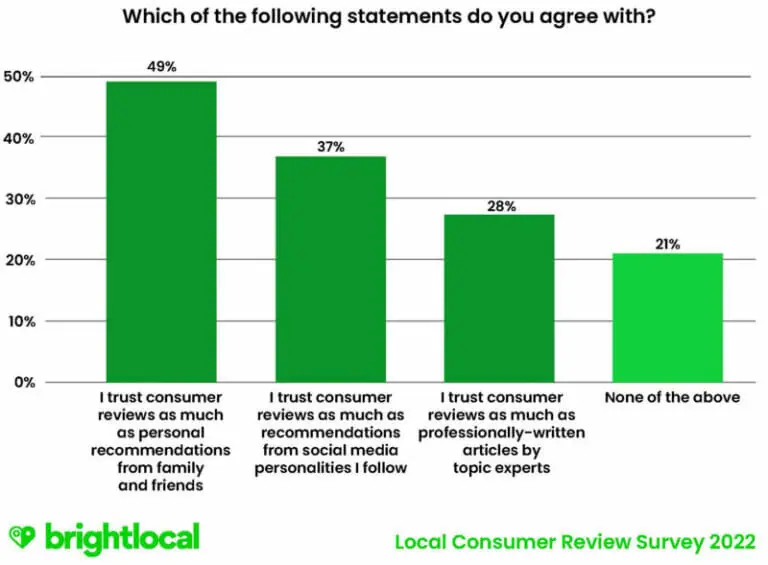
In fact, according to a BrightLocal survey, at least 49% of respondents have as much trust in consumer reviews as they do in personal recommendations from family and friends. By displaying Google reviews from real people on your site, you can automatically enhance trust with new visitors and potential customers.
Provide Valuable Info to Visitors
Not only do your reviews tell people that they can trust your brand, but they also help them learn more about the product and the experience. This may be anything from how your clothes fit on them to how the material feels to what the overall experience is like. In other words, Google reviews can provide your visitors with essential information that will help them make an informed buying decision.
Your product descriptions and product pages may provide enough information about the features and characteristics. However, people also need to get additional information in a real-world context, meaning they need to know what the product or experience is like from the perspective of another consumer. Having Google reviews on your site will help you address that need and enrich your site with the type of content that’s relatable and informative for visitors.
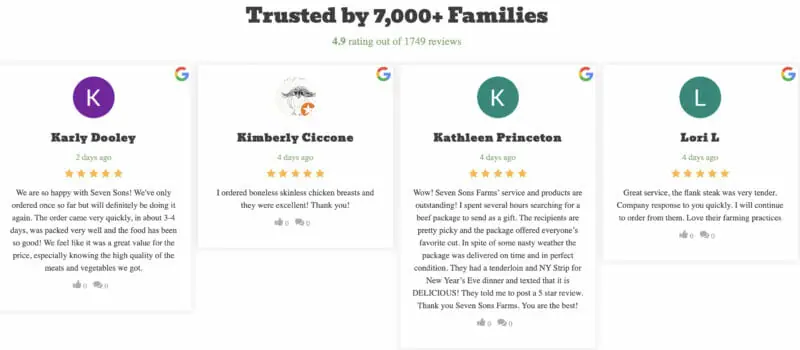
For example, the following Google reviews on the Seven Sons website tell visitors a lot about the quality of products and services. People will be able to tell how soon they can expect to get their orders and what types of cuts are included in the package. These are all essential details that could help people make a buying decision.
Provide Valuable Info to Visitors
Not only do your reviews tell people that they can trust your brand, but they also help them learn more about the product and the experience. This may be anything from how your clothes fit on them to how the material feels to what the overall experience is like. In other words, Google reviews can provide your visitors with essential information that will help them make an informed buying decision.
Your product descriptions and product pages may provide enough information about the features and characteristics. However, people also need to get additional information in a real-world context, meaning they need to know what the product or experience is like from the perspective of another consumer. Having Google reviews on your site will help you address that need and enrich your site with the type of content that’s relatable and informative for visitors.
For example, the following Google reviews on the Seven Sons website tell visitors a lot about the quality of products and services. People will be able to tell how soon they can expect to get their orders and what types of cuts are included in the package. These are all essential details that could help people make a buying decision.
From the pop-up, choose “My Places” so the widget can grab reviews from your Google My Business account. Click on “Create Feed” so you can get the option to customize which reviews will be displayed on your site. Ideally, you’d want to skip the one-star and two-star reviews and choose to display the ones that paint your brand in a positive light.
Additionally, Taggbox also gives you the option to customize how the reviews are displayed. You may choose from different backgrounds, pop-ups, and post styles to match your site design. Once you’re done customizing and moderating the reviews, hit the “Publish” button at the lower left-hand corner of the screen and then choose “Embed on Webpage.
Next, you’ll need to choose your preferred platform and adjust the height and width of the widget. This widget works with HTML sites as well as WordPress, Wix, Squarespace, and Shopify. Then copy the embed code provided and paste it on your site.